Great Teaching Teams provide a structured way for teachers to collaborate, share feedback and learn together within the Great Teaching Toolkit. Teams can be organised in whatever way best supports professional development in your school or college, for example by department, phase, coaching pairs or groups, or around a shared element or dimension focus.
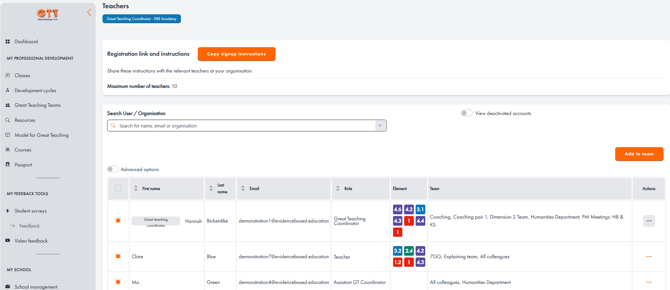
Coordinators and Assistant Coordinators can set up Great Teaching Teams in their school by heading to their "School management" page, then clicking on the orange "Manage teachers" button. On this page, scroll down to "School teams". Click on the “+ Create Team” button and add the name of the Team you want to create.
You can populate the Team with your colleagues using the “Team members” dropdown.
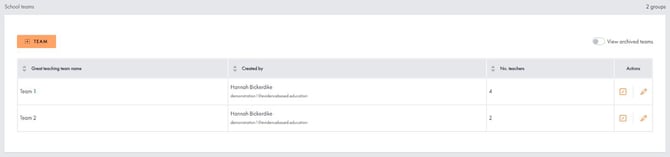
Once you’ve created the Team, it will appear in a table on your page (as below). You can edit the Team’s details by clicking on the pencil icon or disable any teams no longer being used. You can also view any archived Teams by clicking on the toggle.
You can add teachers to an existing team by highlighting the relevant colleagues’ names in the list of teachers at the top of the page and clicking “Add to team”, then selecting the correct Team in the dropdown box. You can do this for multiple staff in one go.