
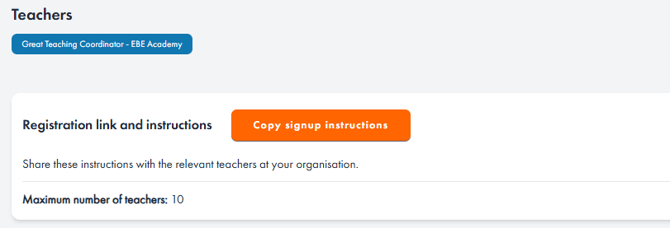
As a Great Teaching Coordinator or Assistant Coordinator, you will not need to spend time setting up accounts for the rest of your team. You can simply head to the “School management” page in your account and click on the orange "Manage teachers" button. You’ll then be able to see how many licences you have to distribute, and copy your registration link to send to your colleagues, as shown below.
When you select "Copy signup instructions", this will generate a short paragraph containing your school's unique signup link alongside instructions for how to register your account. You can then paste this into an email or message to colleagues, and they will do the rest. As teachers start to register, their details will appear in the list on the "Manage teachers" page.
You can use this link any time you would like to add new colleagues to the platform. Note: This is the only link that teachers should use to set up their accounts. If they register in a different way, they will not be linked to your school.
If you can’t find this link or are having trouble getting teachers set up, get in touch with our team – we can help you log in and access the link.