
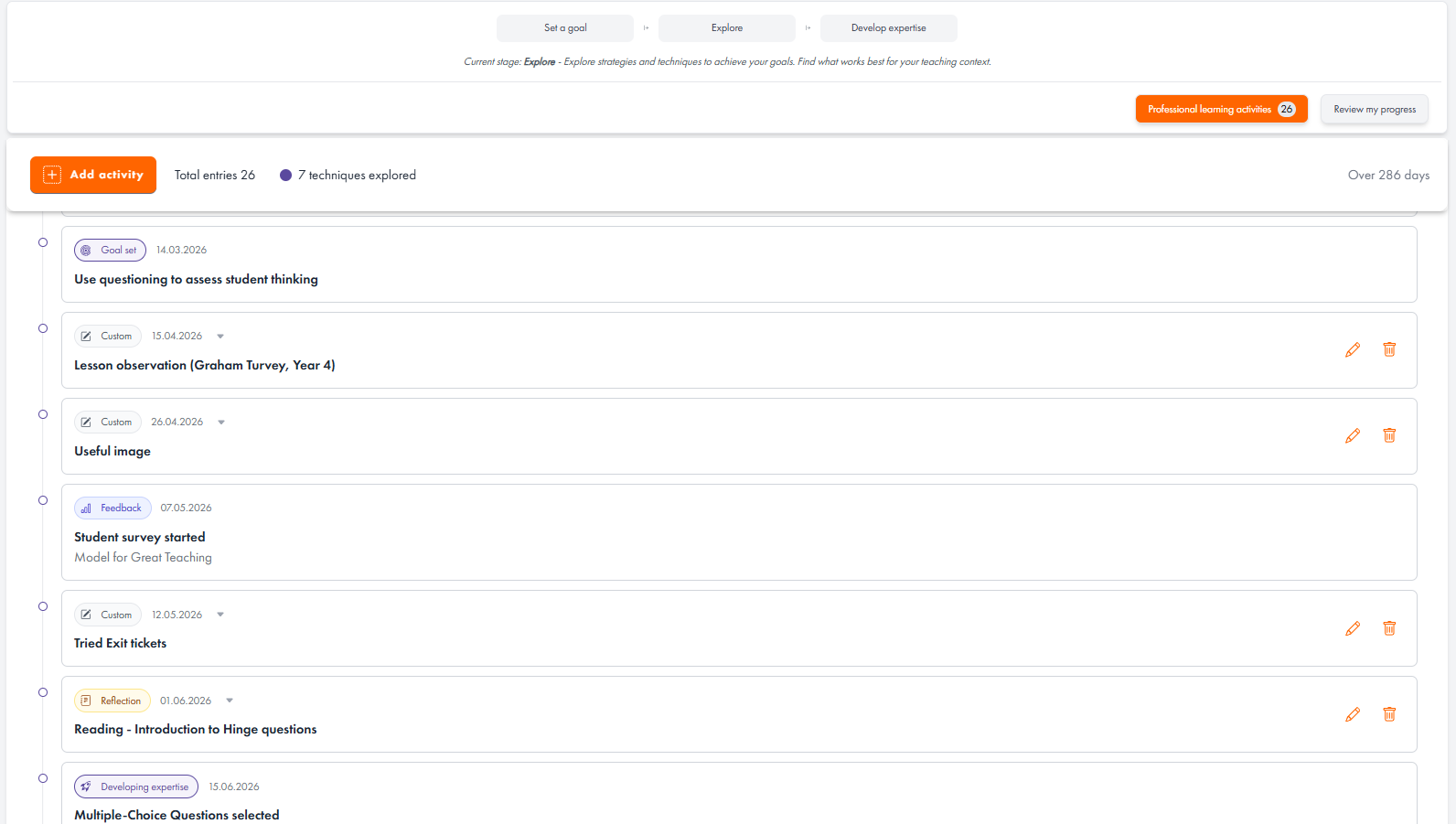
You can access your professional learning log by selecting the 'Professional Development Activities' button within any development cycle. This will display a timeline of all professional learning activities related to the chosen element or dimension of great teaching.
Some information is added to your log automatically. For example, entries are created when you select a goal or technique, or when feedback is gathered.
You'll also be able to view reflections completed during the Explore phase, as well as those captured while implementing a technique in the Develop Expertise phase. These entries can be reviewed, edited, or deleted directly from the professional learning log.
You can also add your own entries by selecting the 'Add Activity' button. This allows you to record additional learning and reflections from professional development activities that take place outside the platform, such as reading, training sessions, or collaborative learning with colleagues.
The professional learning log is also a useful space to collect evidence of the impact of your professional learning. You can upload photos, documents, or other artefacts that demonstrate how your learning has influenced your practice or outcomes.
When completing a review, you'll be able to view all items in your professional learning log and choose which entries you would like to include or exclude from the review.